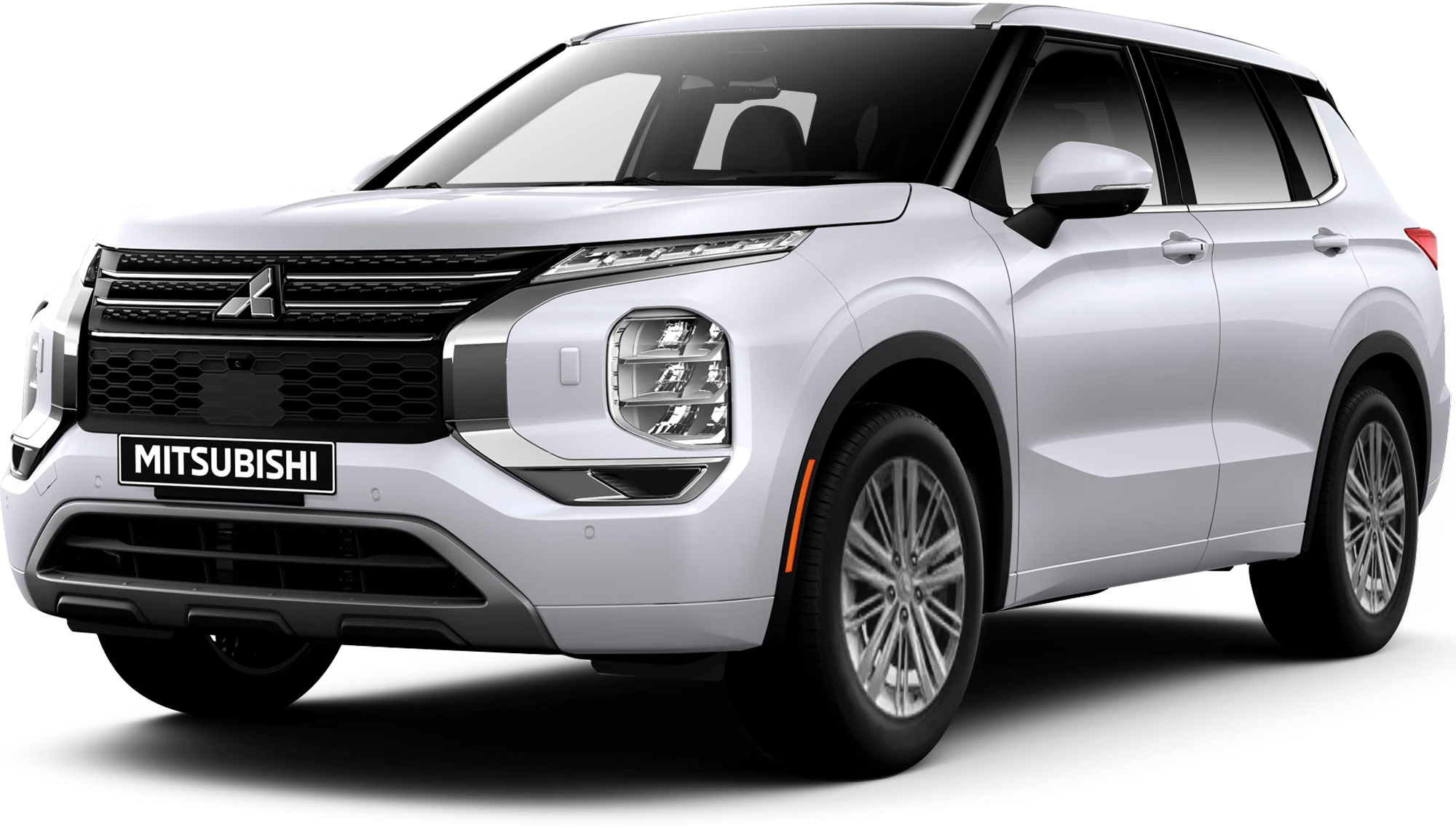
July 1, 2022 NHTSA CAMPAIGN NUMBER: 22V470000
Inoperable Rearview Camera Display/FMVSS 111
An inoperable rearview camera display reduces the driver’s rear view, increasing the risk of a crash.
NHTSA Campaign Number: 22V470
Manufacturer Mitsubishi Motors North America, Inc.
Components BACK OVER PREVENTION
Potential Number of Units Affected 56,080
Summary
Mitsubishi Motors North America, Inc. (MMNA) is recalling certain 2022 Outlander vehicles. The rearview camera may not display the rearview image due to a software error. As such, these vehicles fail to comply with the requirements of Federal Motor Vehicle Safety Standard number 111, “Rear Visibility.”
Remedy
Dealers will update the rearview camera software, free of charge. Owner notification letters were mailed August 1, 2022. Owners may contact MMNA customer service at 1-88-648-7820. MMNA’s number for this recall is SR-22-003.
Notes
Owners may also contact the National Highway Traffic Safety Administration Vehicle Safety Hotline at 1-888-327-4236 (TTY 1-800-424-9153), or go to www.nhtsa.gov.
Check if your Mitsubishi has a Recall
| SUBJECT:
IMPROPER OPERATION OF AUDIO UNIT – SAFETY RECALL CAMPAIGN | No:
SR-22-003 | ||
| DATE:
July 2022 | |||
| MODEL:
2022 Outlander | |||
PURPOSE
This Campaign Bulletin provides instructions to reprogram the In Vehicle Infotainment (IVI) system with modified software.
BACKGROUND
External electrical noise or voltage fluctuation may prevent the IVI from receiving an image signal from the rear view camera which could cause a black screen to display on the IVI. The potential loss of rear view imagery while the vehicle is in reverse and backing up, could increase risk of a crash or an injury to a person behind the vehicle.
AFFECTED VEHICLES
Certain 2022 Outlander vehicles built between 2/8/2021 – 4/8/2022
ATTENTION: Dealers must check 2022 Outlander VINs on the Warranty Superscreen to confirm if a vehicle is affected.
IMPORTANT
Affected new or used inventory vehicles must be repaired before the vehicle is sold/delivered. Dealers must check their inventory vehicles’ VINs on the Warranty Superscreen to verify whether the vehicle is involved in this recall campaign. It is a violation of Federal law for a dealer to sell/deliver a new motor vehicle or any new or used item of motor vehicle equipment (including a tire) covered by the notification under a sale or lease until the defect or noncompliance is remedied.
PROCEDURE INFORMATION
Customer/Technician discussion points prior to update:
- Before beginning the update process, remove any USB devices (charging cables/USB memory sticks) and give them to the customer.
- USB devices located on the back side of the floor console do not need to be removed because they are for charging only and there is no data transmission.
- Inform the customer that after the software update, their phone will need to be paired again since Bluetooth settings will be lost. Assist the customer with pairing if necessary.
- After the software update, the clock on the IVI is not accurate but once the IVI receives GPS signal, the clock will display the correct time.
ATTENTION:
- The software update must be performed with the engine idling and parking brake engaged throughout the update process. Failure to do so may result in 12V battery drain and the IVI unit may require replacement.
- Please SHUT OFF the A/C system and AUDIO system while updating.
- Please exit the route guidance (MAPS) prior to updating.
- Do not move the car or operate the IVI until the software update is successfully completed. Otherwise, the update process may fail and the IVI unit may require replacement.
- VERIFY THE LATEST VERSION OF SOFTWARE is installed when the update is complete.
WORK PROCEDURE
NOTE: Screen Images may differ slightly depending on the IVI screen size (8″ versus 9″).
1. Power on the IVI.
a. Turn the engine on and engage the parking brake. Make sure the “P” in the cluster and Parking Brake Indicator illuminates.
b. The vehicle must remain idling with the parking brake ON. Never move the vehicle during software update.
c. The IVI display may display the Mitsubishi Logo followed by the menu. (Please note that the amount of time from when the power switch is turned from off to on may be quick – approximately 1 minute or less.)
ATTENTION:
- Before proceeding with the update, remove any USB devices that may be inserted such as charging cables and memory sticks.
- IVI unit may fail and USB port (Type-C) may become unusable if you begin the update before removing USB devices.
2. Exit from the route guidance (MAPS) screen if it is activated. Failure to do so may cause the update to fail.
3. Turn the A/C and Audio system off.
4. Make sure Devices, Wi-Fi, and USB are NOT CONNECTED.
Please ensure the customer is NOT close to the vehicle as their smartphone may connect to the IVI unit unintentionally.
5. Press and hold down the Audio unit power button for approximately 10-15 seconds to reboot and turn the IVI unit on. After rebooting wait 15 seconds before proceeding to Step 6.
6. Press the CAMERA button (to confirm functionality) and then press the MAP button
(if equipped) to see if the screen changes correctly. IF THE SCREEN DOES NOT CHANGE (WHEN EQUIPPED WITH BOTH CAMERA AND MAP BUTTONS), PLEASE REBOOT THE IVI UNIT AGAIN.
7. Insert the USB with the countermeasure software into the car USB port (Right side/ Type A).
ATTENTION:
- Please do not move the car or operate the IVI until the software update is completed correctly. Otherwise, the update may fail, and the IVI unit may require replacement.
NOTE: It may take several minutes to initialize
8. You may see a screen asking you to accept (press OK). The screen will automatically change to the “Software Update” screen. The update will take approximately 20 minutes to complete. During the update, the remaining time will be displayed on the screen.
9. When the software is complete a successful notification will appear. Wait one minute. The IVI will restart once the USB stick is removed.
10.Make sure the software version changes to the countermeasure software 283C36752E:
a. Go to settings, arrow right, then select System Updates:
b. Select Version Information and verify the software version is: 283C36752E
NOTE: After the software update, the clock on the IVI unit will show the wrong time until the GPS signal is received, then the clock will display the correct time.
11. Reboot the IVI unit by pressing down the Audio power button (approximately 10-15 seconds) and make sure the IVI unit reboots correctly. The Mitsubishi logo will appear.
12. Access the Connections menu to turn the Wi-Fi on:
13. DTCs such as U2154 and others related to CAN communication may be detected after the Please check and clear the DTC(s).
14. The customer’s phone will need to be paired with the IVI unit. Please assist the customer as necessary.
Refer to the following as necessary:
- Audio Manual: MDL > service > service tech resources > service related items > Audio Manuals > 2022 Model Year >Smartphone Display Audio DG (SDA2) DG T00UMW197P (refer to chart on the next page)
- Applicable Mobile Phone Manual (i.e. Verizon, AT&T etc)
15. The following information and images (shown below and on the next page) are being provided to further clarify the Bluetooth information lost after the software update.
- Item #1 – Bluetooth devices/Wi-Fi stored will be lost – Bluetooth device name stored on the customers phone will need to be removed by using the Forget Device function:
- Item #2 – Favorite Phone, Favorite Audio, Device Name and Pin in the Bluetooth settings will be lost and device name will default to Mitsubishi Motors
- Item #3 – Quick dial and Customized Text Messaging will be lost
- Item #4 – Estimate Time and Time Shown on Map Settings in the Navigation Route Preference will return to default
NOTE: Registered route will be retained however the estimated time will not be saved; this is not applicable to 8″ IVI units without map data.
| Impacted pre-sets item | Before IVI update | After IVI update | |
| #1 | Bluetooth devices stored, Wi-Fi stored | ||
| #2 | Favorite Phone, Favorite Audio, Device Name and PIN in the Bluetooth Settings | ||
| #3 | Quick dial and Customize text message | <Note> Registered Quick dial will be lost. | |
| #4 | Estimated Time and Time Shown on Map settings in Navigation Route Preference (returns to default)
<Note> Registered route is retained. No impact to 8’ screen without map data. |
TROUBLESHOOTING
| Symptoms | Response |
| The update will not start when the USB is inserted.
IVI unit does not recognize the USB stick. | Remove the USB and re-insert it. |
| Reboot the IVI unit by holding down the Audio power button. | |
| Change the USB stick to another one. | |
| The update does not finish
(takes more than 40 minutes). | Reboot the IVI unit by holding down the Audio power button. |
| Change the USB stick to another one. | |
| The following error message appears on the screen:
When inserting the UBS stick the following message appears: “You failed software update. Please update the software again. If the system does not operate, please update the software again.” When removing the USB stick the following message appears: “USB was removed, Please perform the software update again.” | Reboot the IVI unit by holding down the Audio power button. Then perform the update again. |
| Change the USB stick to another one. | |
| IVI unit does not reboot automatically after removing the USB stick. | Reboot the IVI unit by holding down the Audio power button. Then perform the update again. |
| IVI screen does not properly reboot or repeatedly reboots after USB stick is removed (or there are other operational issues). | Wait 5 minutes and if the screen continues to repeat, press and hold the Audio power button until the IVI turns OFF.
If it does not address the issue, after turning Audio power button off, open and close the driver side door, wait 10 minutes. Press and hold the Audio power button until IVI turns on to reboot the unit. Upon rebooting the IVI unit, if the Mitsubishi logo appears on the screen, the IVI is operating correctly. |
PARTS INFORMATION
Two USB flash drives containing the updated software will be sent to each dealer (Attention: Service Manager) via FedEx. Each USB flash will be labeled as shown below:
Genuine Mitsubishi part information (should replacements be needed):
| DESCRIPTION | PART NUMBER | QTY |
| USB FOR SR22003 | DGIVIFLASH | 1 |
IMPORTANT
Affected new or used inventory vehicles must be repaired before the vehicle is sold/delivered. Dealers must check their inventory vehicles’ VINs on the Warranty Superscreen to verify whether the vehicle is involved in this recall campaign. It is a violation of Federal law for a dealer to sell/deliver a new motor vehicle or any new or used item of motor vehicle equipment (including a tire) covered by the notification under a sale or lease until the defect or noncompliance is remedied.
Chronology :
On June 2, 2021, Mitsubishi Motors Corporation (MMC) received the first field report indicating an A-IVI screen went blank when the vehicle was in reverse. MMC began an investigation.
From June 2021 through September 2021, MMC received 3 additional field reports. MMC continued the investigation and began analysis of A-IVI units that were returned to MMC after being replaced due to the reports of this condition.
From October 2021 through March 2022, MMC continued to monitor the field for additional occurrences and further investigated the issue.
From April 2022 through May 2022, MMC continued assessing the conformity of this issue with FMVSS 111 and analyzed the potential for future field occurrences.
On June 24, 2022, MMC determined that a potential non-compliance cannot be ruled out, determined that a field action was necessary, and advised MMNA to conduct a non-compliance recall. MMC has received 10 field reports (8 of which were also warranty claims) from the US. The dates of when the claims were received are 6/13/2022, 3/3/2022, 2/2/2022. 12/6/2021, 10/6/2021, 2/7/2022, 12/17/2021, 12/13/2021. However, MMC and MMNA are not aware of any reports of accident or injury related to this condition.
1 Affected Product
Vehicle
| MAKE | MODEL | YEAR |
| MITSUBISHI | OUTLANDER | 2022 |
11 Associated Documents
Recall 573 Report
RCLRPT-22V470-8483.PDF 215.699KB
https://static.oemdtc.com/Recall/22V470/RCLRPT-22V470-8483.PDF
Recall Acknowledgement
RCAK-22V470-4692.pdf 645.363KB
https://static.oemdtc.com/Recall/22V470/RCAK-22V470-4692.pdf
Recall 573 Report – July 8, 2022
RCLRPT-22V470-6955.PDF 215.758KB
https://static.oemdtc.com/Recall/22V470/RCLRPT-22V470-6955.PDF
Remedy Instructions and TSB
RCRIT-22V470-0622.pdf 2972.795KB
https://static.oemdtc.com/Recall/22V470/RCRIT-22V470-0622.pdf
Manufacturer Notices(to Dealers,etc)
RCMN-22V470-0236.pdf 193.491KB
https://static.oemdtc.com/Recall/22V470/RCMN-22V470-0236.pdf
Manufacturer Notices(to Dealers,etc)
RCMN-22V470-0584.pdf 341.569KB
https://static.oemdtc.com/Recall/22V470/RCMN-22V470-0584.pdf
ISSUED Owner Notification Letter(Part 577)
RCONL-22V470-8148.pdf 153.917KB
https://static.oemdtc.com/Recall/22V470/RCONL-22V470-8148.pdf
Customer Letter
RMISC-22V470-1789.pdf 131.726KB
https://static.oemdtc.com/Recall/22V470/RMISC-22V470-1789.pdf
Recall Quarterly Report #1, 2022-3
RCLQRT-22V470-8361.PDF 211.167KB
https://static.oemdtc.com/Recall/22V470/RCLQRT-22V470-8361.PDF
Recall Quarterly Report #2, 2022-4
RCLQRT-22V470-7617.PDF 211.275KB
https://static.oemdtc.com/Recall/22V470/RCLQRT-22V470-7617.PDF
Recall Quarterly Report #3, 2023-1
RCLQRT-22V470-2344.PDF 211.367KB
https://static.oemdtc.com/Recall/22V470/RCLQRT-22V470-2344.PDF
Reprogramming
J2534 Reprogramming - Mitsubishi
Introduction
Mitsubishi Motors North America, Inc. offers J2534-1 Powertrain Control Module (PCM) re-flash capability in accordance with CARB & EPA regulations. Mitsubishi Motors vehicles use re-flashable PCMs starting with the 1998 model year. Before attempting a re-flash of a Mitsubishi PCM, you must obtain a validated J2534-1 pass-thru device. In addition, you must only re-flash a Mitsubishi PCM when a specific Mitsubishi Motors Technical Service Bulletin (TSB) calls for it. All TSBs are available in the Service Information portion of this website. In some cases, re-flash procedures are accompanied by replacement of parts or other related procedures. Failure to follow these guidelines may result in an unsatisfactory repair.
What is J2534-1?
J2534-1 is a Society of Automotive Engineers (SAE) standard that enables the use of a J2534-1 pass-thru device (available through Special Tool Manufacturers) and a personal computer to re-program a PCM with updated instructions, as well as perform other procedures on some PCMs. Mitsubishi Motors vehicles use re-flashable PCMs starting with the 1998 model year. Before attempting a re-flash of a Mitsubishi PCM, you must obtain a validated J2534-1 pass-thru device. In addition, you must only re-flash a Mitsubishi PCM when a specific Mitsubishi Motors Technical Service Bulletin (TSB) calls for it. All TSBs are available in the Service Information portion of this website. In some cases, re-flash procedures are accompanied by replacement of parts or other related procedures. Failure to follow these guidelines may result in an unsatisfactory repair.
There are two distinct families of PCMs, based on the communication protocol used for re-flashing. Each family of PCMs requires a specific software solution available on this website as follows:
- Legacy PCMs Refer to (Reprogramming System Identification Chart) for details (ISO9141) protocol for re-flash communication. A software application, Update Manager, is required to re-flash this type of PCM. Update Manager consists of 2 parts, Update Manager A & Update Manager B. Use Update Manager A to determine the current PCM instruction level (current flash level), known as ROM-ID. Then use Update Manager B to re-flash the PCM with re-flash files and other support files downloaded from this website. If installed for the first time, some K-Line PCM's require additional initialization procedures - for example, Immobilizer Key Code Transfer. To perform these initialization procedures, a MUT-III Special tool must be used. Please refer to the "Special Tool" section of this webpage for details.
- The latest technology PCMs Refer to (Reprogramming System Identification Chart) use CAN protocol for re-flash communication. In addition, some CAN-based PCMs require additional initialization procedures if installed in a vehicle for the first time, such as VIN writing, Variant Coding (programming specific vehicle attributes) and Immobilizer Key Code Transfer. All procedures are done using the MUT3-SE CAN Passthru application available for download from this website. Use MUT3-SE CAN Passthru to obtain the PCM Part number, VIN stored in the PCM (necessary before any other procedures). Then download additional software components and support files through MCDS Server to enable the MUT3-SE CAN Pass-Thru application to perform other procedures as needed.
https://mitsubishitechinfo.com
https://mitsubishitechinfo.com/epacarb/

- J2534 Pass-Thru Programmer: TOPDON RLink J2534 is an advanced diagnostic and reprogramming tool that support all J2534 protocols, as well as D-PDU, CAN-FD and DoIP, ensuring compatibility with a wide range of modern vehicles. It offers extensive versatility with support for over 18 major automotive brands, including Chrysler, Ford, GM, Nissan, Toyota, Honda, Subaru, Land Rover/Jaguar, Volvo, Wuling, Volkswagen/Audi, Mercedes-Benz, and BMW. NOTE: Not compatible with Ford IDS diagnostic software
- All-in-One OEM Diagnostics: This J2534 ECU programming tool elevates your automotive repair capabilities to new heights by delivering complete OEM diagnosis. Boasting comprehensive full-system diagnostics, intuitive repair guides, advanced ECU programming and coding, common reset services, a vast library of repair information and more, this all-in-one solution empowers technicians to effortlessly tackle complex vehicle issues with ease. *Not compatible with 24V vehicles
- Proven Performance You Can Trust: Backed by over 10000 real vehicle tests and benefit from a wealth of practical experience, this OEM reprogramming tool guarantees stable and exceptional performance. Supported by TOPDON's dedicated technical experts with in-depth knowledge of both auto repair and J2534 Pass-Thru programming, the RLink J2534 provides prompt and professional assistance, ensuring a smooth setup and reliable compatibility
- Integrated Excellence, Always Up-to-Date: Featuring the exclusive RLink Platform to provide a streamlined experience with one-click driver installation and management, ensuring flawless integration with your OE software, maintaining the original performance quality. The built-in operation guide makes mastering OE software quick and easy, so you can get started right away. Plus, with lifetime free updates, your diagnostics will stay current with the latest drivers and innovations
- Efficiency Meets Versatility: Engineered to support three CAN channels simultaneously - CAN FD and CAN-CC included, giving you the edge in fast troubleshooting. To perfectly synchronized with the OE software, please diagnose with active subscriptions and make sure your computer system is running a compatible 64-bit Windows version (7, 8, 10 or later) to fully leverage the power of RLink J2534. *We don't provide extra OE software

- Advanced VCI Box, Industry-leading J2534 Pass-Thru Technology: This J2534 Pass-Thru Programmer is designed espically for technicians, independent shop owners, and DIY enthusiasts, enables fast, reliable computer-based programming. It supports all J2534 protocols—including the latest DoIP and CAN FD—ensuring full compatibility with both legacy and next-generation vehicles.
- High-Speed OEM-Level Diagnostics & Programming: Unlock true OEM functionality with comprehensive system diagnostics, guided troubleshooting, coding, adaptations, resets, and programming—all designed to slash repair time. This all-in-one tool eliminates the need for multiple OEM devices, boosting efficiency and cutting costs. Equipped with High-Speed USB, it delivers 10x more data per second than competing solutions
- Coverage for 17 Car Brands & Ultra Reliability: Works seamlessly for Chrysler, for Ford(Forscan), for GM, for Nissan, for Toyota, for Honda, for Subaru(SSM4), for Land Rover/Jaguar, for Volvo, for Wuling, for Volkswagen, for Mercedes-Benz, and for BMW. Backed by over 10000 real vehicle tests and benefit from a wealth of practical experience, this OEM reprogramming tool guarantees stable and exceptional performance
- User-Friendly RLink Platform & Expert Support: TOPDON’s proprietary driver management platform offers a clean interface and lifetime free updates. Access a rich library of real-world case studies to stay ahead of the curve. Backed by a support team with 10+ years of J2534 and automotive repair experience, we provide one-on-one assistance to resolve any technical issue.
- 6.6 ft USB-C Cable & Portable Storage Case: The RLink J2534 diagnostic tool features a 6.6ft USB 2.0 Cable and a 1.2 ft OBDII Extension Cable, allows to connection your computer easily outside the vehicle. The included handled carry case offers easy portability, storage, and hanging options—keeping your gear clean and ready to go, anywhere.

- Dual WiFi & 10.1" Touchscreen: Provides a stable, high-speed wireless link 3x faster than bluetooth, and a responsive, professional interface. Topdon ONE obd2 scanner diagnostic tool ensures smooth, non-lagging diagnostic scan, boosting mechanic efficiency
- J2534 Pass-Thru Support: The included ONE VCI supports the J2534 standard, allowing it to function as a pass-thru device when paired with OEM diagnostic software.Through TOPDON’s RLink platform, technicians can perform dealer-level coding, expanding in-house capabilities without investing in multiple factory automotive scan tools
- OE Topology Mapping: Visualize the vehicle’s ECU network exactly as it’s built.Zoom, pan, and highlight specific modules to pinpoint component issues with precision.Topology mapping displays real-time communication between modules
- 50+ Service Functions: Covers high-demand services like ADAS calibration, DPF regen, TPMS reset, ABS bleed, and throttle adaptation.Expands your service menu, allows you to charge premium rates, and turns away zero jobs due to lack of tooling. Vehicle-specific functionality may vary
- Advaned ECU Coding: 10 of the most serviced brands in North America, including full ECU coding and flash hidden support for BMW, VW, Au-di, Benz, Porsche, Toyota, Ni ssan and more. Enables module replacement, feature customization, and personal settings with automatic backup or restore.Lets your shop safely offer high-margin customization services, attracting more customers and boosting profit

- [J2534 Pass-Thru Programmer] - TOPDON RLink J2534 is engineered for professional technicians, delivering OEM diagnostic and reprogramming capabilities. It supports all J2534 protocols, CAN-FD, DoIP, D-PDU. Compatible with 17 vehicle brands—such as Chrysler, Ford, GM, KIA, Hyundai, Nissan, Toyota, Honda, Subaru, Mitsubishi, MAZDA, Land Rover/Jaguar, Volvo, Volkswagen/Audi, Mercedes-Benz, and BMW. RLink J2534 can help reduce the cost of purchasing equipment from different brands.
- [All-in-One OEM Reprogramming and Diagnostics] - When seamlessly integrated with OEM diagnostic software, this dongle enables you to perform a wide range of functions, including ECU programming and coding, DTC reading and clearing, active tests, component matching, adaptations, rewriting, guided troubleshooting, and more. This all-in-one tool eliminates the need for multiple OEM devices, significantly boosting work efficiency.
- [Tested, Trusted, and Proven for Accuracy] - TOPDON RLink J2534 is renowned for its reliability, having successfully completed over 10,000 real-vehicle tests. The wealth of data and hands-on experience behind it ensures consistent performance and accurate results. You can trust this tool to deliver optimal performance.
- [One-Click Installation, Continuous Updates] - The exclusive TOPDON RLink platform streamlines installation with a one-click driver setup, allowing you to quickly access OEM software for diagnostic and reprogramming tasks. With lifetime free updates, your RLink J2534 stays current without any additional cost, ensuring reliable performance for the long term. *We don't provide extra OE software.
- [Works with Windows Compatibility and OEM Software Subscription] - The RLink J2534 supports three CAN channels - including CAN FD and CAN-CC, providing advantages in the process of rapid troubleshooting. Compatible with Windows 7, 8 and 10 (64-bit) and higher versions of the system. For full functionality, an active OEM software subscription is required for each supported vehicle brand. Please note that the dongle does not include OEM software, which must be purchased separately to access brand-specific diagnostic and reprogramming features.

- 💯【Conta.ct us for Support Directly】For any issues experienced after purchase, please reach out to: 📞autelsupply@ outlook. com🛣️. Our team will provide perfect solution for you. For tech support or [explore additional accessory], please cont.act our team: 📞autelsupply@ outlook. com🛣️.
- 🌎【Autel J2534 Pass-Thru Progra.mmer】As an OEM Pass-Thru Progra.mmer Vehicle interface for multiple makes, Autel MaxiFlash J2534 support all J2534 protocols, D-PDU, CAN-FD and DoIP protocols. 2026 newer Autel MaxiFlash J2534 VCI can works with P-C and download OEM vehicle software, seamlessly conduct OE-level diagnostic-progra.mming-c0ding. Also, Work with Elite II Pro/ Ultra Lite/ MS909/ MS909CV/ MS909EV to directly pro.gram on Merce.des-Be.nz & BM.W. Autel J2534 Progr.ammer is a multi-functional device and supports 10+ major brands, including for Hond.a, G.M, LandRo.ver, BM.W, Chrysl.er, For.d, Hyun.dai, Ki.a, Merc.edes B.enz, Toyot.a, Volksw.agen etc.
- 🌎【Enhanced Protocol: J2534/D-PDU/RP1210/CAN FD/DoIP】Autel MaxiFlash JVCI is a blueto.oth communicate device, it supports latest CAN FD DoIP CAN protocols, compliant with automotive D-PDU/ J2534/ RP1210 standards. It can perform standard PassThru J2534 functions: compatible with Toyota Techstream, Volvo VIDA, Honda HDS, Jaguar Land Rover IDS and BM.W 3G for OEM diagnostics. CAN FD protocol is mainly for GM 2019+, DoIP protocol is mainly for Volvo 2018+, for L-and Rover/for Jaguar 2017+, for BM.W F chassis and G chassis.
- 🌎【Compatible with P-C/ WIND.OWS 】The Autel J2534 VCI can be connected to a compu.ter via a data cable; once the corresponding OEM software is installed, it enables do advanced progr.amming and c0ding on your vehicles. Easy Steps: 1) Connect to P-C via a USB cable 2) download OEM vehicle software 3) Start Diagnose. Take For.d for example, you can download OEM software on mot.orcraft.erservi.ce website, such as: For.d Diagnostic Software downloads, As B.uilt Data, Updated Cali.bration information, then use different software do relevant features.
- 🌎【Work with Autel Elite II Pro/ Ultra Lite/ MS909/ MS909CV/ MS909EV】This 2026 latest Autel J2534 Pass-Thru VCI is 100% compatible with Autel Elite II Pro Ultra Lite MS909 MS909CV MS909EV to perform advanced functions from diagnose to progra.mming.
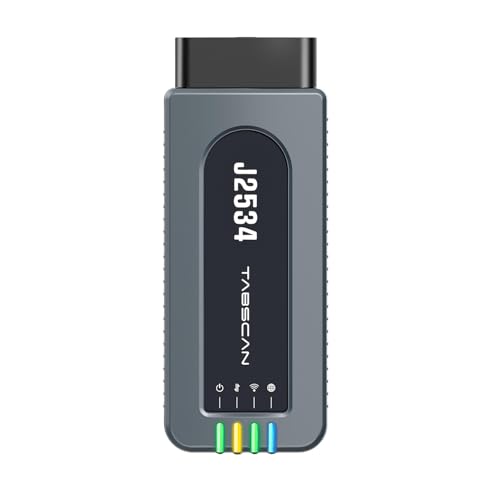
- 【J2534 Pass-Thru Device】 This budget-friendly J2534 pass-thru device delivers OEM diagnostics and reprogramming capabilities for dealerships, repair shops and automotive DIY enthuisasts, enables you diagnose, program and repair the vehicles more efficiently and precisely. Supporting J2534, D-PDU, CAN-FD and DoIP, this J2534 passthru tool ensures wide vehicle coverage. It's compatible with OE software application, ensuring seamless integration and original performance quality
- 【All-in-One Diagnostic Tool】 Simplify your workflow and tackle the complex diagnostics and repairs with confidence! This J2534 passthrough tool provides full system diagnosis, bi-directional control, maintenance reset services, ECU programming and ECU coding to run advanced diagnostics and programming. Equipped with the specialized platform, this J2534 pass-thru tool is fully compatible with OE software that helps technicians confidently handle complicated vehicle repair issues
- 【J2534 Diagnostic Tool】 The Tabscan J2534 pass-thru device is built with a dedicated platform, making it ideal for both professional and personal use. Simply download the driver for your ford vehicle within the platform—ensuring only one driver is installed at a time. Then connect the device to your vehicle’s OBD2 port and link it to your computer using the included USB A to USB C cable. Finally launch your OE software, select Tabscan J2534 VCI as interface, and begin diagnose and program
- 【Universal Compatibility】 Tabscan J2534 reprogramming tool is designed to be compatible with Ford vehicles for advanced diagnostics and programming. It supports J2534 protocols, along with D-PDU, CAN-FD and DoIP, ensuring seamless connectivity with older or modern vehicles. This J2534 diagnostic tool only works with computer running on windows 7/10/11. Vehicle compatibility varies by model or year, please confirm with us before purchase. Note: It's not compatible with 24V vehicles
- 【Professional Technical Support】 Tabscan J2534 pass-thru device provides a stable and seamless connection between your vehicle and computer for diagnostics, programming, and coding. But that's not all—we go beyond hardware. Our dedicated technical support team brings deep expertise in automotive diagnostics and programming. Whether you need help with setup, troubleshooting or latest diagnostic resources and upgrades, we provide fast, professional and reliable support every step of the way
SEOCONTENT-START
Dear Valued Mitsubishi Customer: Congratulations and thank you for your recent 2022 Outlander purchase! We are confident that you are now experiencing the many reasons why this vehicle has received numerous accolades. For Mitsubishi, safety isn’t simply a set of features. In all our vehicles, safety is interwoven into performance, technology, design and even comfort. The safety accolades the 2022 Outlander has received truly demonstrate this philosophy. To maximize the continued satisfaction with all Mitsubishi vehicles, Mitsubishi strives to quickly identify potential vehicle concerns and develop timely resolutions – especially those that may be safety related. By now you should be aware that Mitsubishi decided a safety recall involving the rear backup camera function was necessary on your vehicle. You should have already received a letter informing you of this recall. Nevertheless, Mitsubishi wanted to send you a follow-up letter to provide additional information to make the recall process as pleasant as possible. Mitsubishi encourages you to set up an appointment with your Authorized Mitsubishi Dealer. Mitsubishi dealers offer the convenience of online appointments, or you may simply give them a call. The remedy for this concern requires reprogramming the Alliance-In Vehicle Infotainment system (A-IVI). Although the reprogramming process was engineered to retain most of your presets, the connection settings listed below will need to be reestablished. The dealership will gladly assist in reestablishing these connection settings. Please remember that some of the connection settings will require physical presence of the device(s) being connected. If you prefer to reestablish the connection settings yourself, please reference the page numbers indicated below in your Smartphone-Link Display Audio Owner’s Manual that came with your Outlander or access it online at https://www.mitsubishicars.com/owners/service. Connection settings requiring reestablishment after reprogramming • Bluetooth pairing, devices stored, settings (favorite phone, favorite audio, device name, and PIN) – Page 2-15 to 2-17 • Stored Wi-Fi networks – Page 2-17 • Customized text messages and quick dial – Page 4-9 and 4-14 • Navigation system (if so equipped) estimate time and time shown on map settings will return to default– Page 6-15 If you have any questions, please feel free to contact Mitsubishi Customer Relations Department at 888-648-7820. Hours: Monday through Friday 7 a.m. to 4 p.m. (Central Time). On behalf of the entire Mitsubishi Motors North America team, please continue the journey with Mitsubishi Confidence – your assurance that your new Mitsubishi will be there for you, today, tomorrow, and long into the future. MITSUBISHI MOTORS NORTH AMERICA, INC. 4031 Aspen Grove Dr, Franklin, TN 37067 August 2022
**************************************************************************************************************
SUBJECT: IMPROPER OPERATION OF AUDIO UNIT – SAFETY RECALL CAMPAIGN No: SR-22-003 DATE: July 2022 MODEL: 2022 Outlander CIRCULATE TO: [ X ] GENERAL MANAGER [ X ] PARTS MANAGER [ X ] TECHNICIAN [ X ] SERVICE ADVISOR [ X ] SERVICE MANAGER [ X ] WARRANTY PROCESSOR [ X ] SALES MANAGER PURPOSE This Campaign Bulletin provides instructions to reprogram the In Vehicle Infotainment (IVI) system with modified software. BACKGROUND External electrical noise or voltage fluctuation may prevent the IVI from receiving an image signal from the rear view camera which could cause a black screen to display on the IVI. The potential loss of rear view imagery while the vehicle is in reverse and backing up, could increase risk of a crash or an injury to a person behind the vehicle. AFFECTED VEHICLES Certain 2022 Outlander vehicles built between 2/8/2021 – 4/8/2022 IMPORTANT Affected new or used inventory vehicles must be repaired before the vehicle is sold/delivered. Dealers must check their inventory vehicles’ VINs on the Warranty Superscreen to verify whether the vehicle is involved in this recall campaign. It is a violation of Federal law for a dealer to sell/deliver a new motor vehicle or any new or used item of motor vehicle equipment (including a tire) covered by the notification under a sale or lease until the defect or noncompliance is remedied. Copyright 2022, Mitsubishi Motors North America, Inc. ATTENTION: Dealers must check 2022 Outlander VINs on the Warranty Superscreen to confirm if a vehicle is affected. 07/15/2022 Page 1 of 10 (5219) PROCEDURE INFORMATION Customer/Technician discussion points prior to update: 1. Before beginning the update process, remove any USB devices (charging cables/USB memory sticks) and give them to the customer. 2. USB devices located on the back side of the floor console do not need to be removed because they are for charging only and there is no data transmission. 3. Inform the customer that after the software update, their phone will need to be paired again since Bluetooth settings will be lost. Assist the customer with pairing if necessary. 4. After the software update, the clock on the IVI is not accurate but once the IVI receives GPS signal, the clock will display the correct time. ATTENTION: • The software update must be performed with the engine idling and parking brake engaged throughout the update process. Failure to do so may result in 12V battery drain and the IVI unit may require replacement. • Please SHUT OFF the A/C system and AUDIO system while updating. • Please exit the route guidance (MAPS) prior to updating. • Do not move the car or operate the IVI until the software update is successfully completed. Otherwise, the update process may fail and the IVI unit may require replacement. • VERIFY THE LATEST VERSION OF SOFTWARE is installed when the update is complete. 1. Power on the IVI. a. Turn the engine on and engage the parking brake. Make sure the “P” in the cluster and Parking Brake Indicator illuminates. b. The vehicle must remain idling with the parking brake ON. Never move the vehicle during software update. c. The IVI display may display the Mitsubishi Logo followed by the menu. (Please note that the amount of time from when the power switch is turned from off to on may be quick – approximately 1 minute or less.) WORK PROCEDURE NOTE: Screen Images may differ slightly depending on the IVI screen size (8″ versus 9″). 07/15/2022 Page 2 of 10 (5219) ATTENTION: • Before proceeding with the update, remove any USB devices that may be inserted such as charging cables and memory sticks. • IVI unit may fail and USB port (Type-C) may become unusable if you begin the update before removing USB devices. Type C Type A 2. Exit from the route guidance (MAPS) screen if it is activated. Failure to do so may cause the update to fail. 3. Turn the A/C and Audio system off. 4. Make sure Devices, Wi-Fi, and USB are NOT CONNECTED. Please ensure the customer is NOT close to the vehicle as their smartphone may connect to the IVI unit unintentionally. 07/15/2022 Page 3 of 10 (5219) 5. Press and hold down the Audio unit power button for approximately 10-15 seconds to reboot and turn the IVI unit on. After rebooting wait 15 seconds before proceeding to Step 6. 6. Press the CAMERA button (to confirm functionality) and then press the MAP button (if equipped) to see if the screen changes correctly. IF THE SCREEN DOES NOT CHANGE (WHEN EQUIPPED WITH BOTH CAMERA AND MAP BUTTONS), PLEASE REBOOT THE IVI UNIT AGAIN. 7. Insert the USB with the countermeasure software into the car USB port (Right side/ Type A). ATTENTION: • Please do not move the car or operate the IVI until the software update is completed correctly. Otherwise, the update may fail, and the IVI unit may require replacement. 8. You may see a screen asking you to accept (press OK). The screen will automatically change to the “Software Update” screen. The update will take approximately 20 minutes to complete. During the update, the remaining time will be displayed on the screen. 9. When the software is complete a successful notification will appear. Wait one minute. The IVI will restart once the USB stick is removed. NOTE: It may take several minutes to initialize 07/15/2022 Page 4 of 10 (5219) 10. Make sure the software version changes to the countermeasure software 283C36752E: a. Go to settings, arrow right, then select System Updates: b. Select Version Information and verify the software version is: 283C36752E 11. Reboot the IVI unit by pressing down the Audio power button (approximately 10-15 seconds) and make sure the IVI unit reboots correctly. The Mitsubishi logo will appear. 12. Access the Connections menu to turn the Wi-Fi on: 13. DTCs such as U2154 and others related to CAN communication may be detected after the update. Please check and clear the DTC(s). 14. The customer’s phone will need to be paired with the IVI unit. Please assist the customer as necessary. Refer to the following as necessary: • Audio Manual: MDL > service > service tech resources > service related items > Audio Manuals > 2022 Model Year >Smartphone Display Audio DG (SDA2) DG T00UMW197P (refer to chart on the next page) • Applicable Mobile Phone Manual (i.e. Verizon, AT&T etc) NOTE: After the software update, the clock on the IVI unit will show the wrong time until the GPS signal is received, then the clock will display the correct time. 07/15/2022 Page 5 of 10 (5219) 15. The following information and images (shown below and on the next page) are being provided to further clarify the Bluetooth information lost after the software update. • Item #1 – Bluetooth devices/Wi-Fi stored will be lost – Bluetooth device name stored on the customers phone will need to be removed by using the Forget Device function: • Item #2 – Favorite Phone, Favorite Audio, Device Name and Pin in the Bluetooth settings will be lost and device name will default to Mitsubishi Motors • Item #3 – Quick dial and Customized Text Messaging will be lost • Item #4 – Estimate Time and Time Shown on Map Settings in the Navigation Route Preference will return to default NOTE: Registered route will be retained however the estimated time will not be saved; this is not applicable to 8″ IVI units without map data. 07/15/2022 Page 6 of 10 (5219) Impacted pre-sets item Before IVI update After IVI update #1 Bluetooth devices stored, Wi-Fi stored #2 Favorite Phone, Favorite Audio, Device Name and PIN in the Bluetooth Settings #3 Quick dial and Customize text message Registered Quick dial will be lost. #4 Estimated Time and Time Shown on Map settings in Navigation Route Preference (returns to default) Registered route is retained. No impact to 8’ screen without map data. 07/15/2022 Page 7 of 10 (5219) TROUBLESHOOTING Symptoms Response The update will not start when the USB is inserted. IVI unit does not recognize the USB stick. Remove the USB and re-insert it. Reboot the IVI unit by holding down the Audio power button. Change the USB stick to another one. The update does not finish (takes more than 40 minutes). Reboot the IVI unit by holding down the Audio power button. Change the USB stick to another one. The following error message appears on the screen: When inserting the UBS stick the following message appears: “You failed software update. Please update the software again. If the system does not operate, please update the software again.” When removing the USB stick the following message appears: “USB was removed, Please perform the software update again.” Reboot the IVI unit by holding down the Audio power button. Then perform the update again. Change the USB stick to another one. IVI unit does not reboot automatically after removing the USB stick. Reboot the IVI unit by holding down the Audio power button. Then perform the update again. IVI screen does not properly reboot or repeatedly reboots after USB stick is removed (or there are other operational issues). Wait 5 minutes and if the screen continues to repeat, press and hold the Audio power button until the IVI turns OFF. If it does not address the issue, after turning Audio power button off, open and close the driver side door, wait 10 minutes. Press and hold the Audio power button until IVI turns on to reboot the unit. Upon rebooting the IVI unit, if the Mitsubishi logo appears on the screen, the IVI is operating correctly. 07/15/2022 Page 8 of 10 (5219) DESCRIPTION PART NUMBER QTY USB FOR SR22003 DGIVIFLASH 1 PARTS INFORMATION Two USB flash drives containing the updated software will be sent to each dealer (Attention: Service Manager) via FedEx. Each USB flash will be labeled as shown below: Genuine Mitsubishi part information (should replacements be needed): WARRANTY / RECALL CAMPAIGN CLAIM INFORMATION Enter all claims as claim type ‘C’ – Recall/Campaign Claims. Please follow the campaign instructions when entering each claim. See the claim example provided (next page). 07/15/2022 Page 9 of 10 (5219) RECALL CLAIM HEADER SECTION C2203R OPERATION NATURE CODE CAUSE CODE LABOR OPERATION TIME ALLOWANCE SOFTWARE UPDATE 59U 990 C2203R01 0.3 HOURS After entering the required customer data, vehicle information, selecting the applicable repair campaign and scenario performed, click the “Save and Continue” button. The system will automatically fill-in several fields. IMPORTANT Affected new or used inventory vehicles must be repaired before the vehicle is sold/delivered. Dealers must check their inventory vehicles’ VINs on the Warranty Superscreen to verify whether the vehicle is involved in this recall campaign. It is a violation of Federal law for a dealer to sell/deliver a new motor vehicle or any new or used item of motor vehicle equipment (including a tire) covered by the notification under a sale or lease until the defect or noncompliance is remedied. 07/15/2022 Page 10 of 10 (5219)
**************************************************************************************************************
MITSUBISHI MOTORS NORTH AMERICA, INC. PO Box 689040 Franklin, TN 37068 This notice applies to your vehicle, . NHTSA Recall 22V-470 Date: August 2022 Dear FIRSTNAME LASTNAME, This notice is sent to you in accordance with the National Traffic and Motor Vehicle Safety Act. Reason for notice: Mitsubishi Motors North America, Inc. (MMNA) has decided that certain 2022 Outlander vehicles fail to conform to Federal Motor Vehicle Safety Standard No. 111, “Rear Visibility.” The Alliance In-Vehicle Infotainment (A-IVI) system may not receive an image signal from the rear-view camera, resulting in a black screen displaying on the A-IVI. The loss of rearview image during a backing event could increase the risk of a crash or an injury to a person behind the vehicle. What you should do: Please contact your local Mitsubishi Motors dealer and schedule an appointment to have the A-IVI reprogramed, free of charge. When you bring your vehicle in, please show the dealer this letter. If you misplace this letter, the dealer will still perform this repair on your vehicle, free of charge. What your dealer will do: The dealership will reprogram the A-IVI with modified software. How long will it take? The time needed for the reprogramming is approximately 30 minutes. The dealer may need your vehicle for a longer period of time, but every effort will be made to minimize your inconvenience. If you experience any problem having your vehicle repaired promptly and/or at no charge, please inform us by calling the Mitsubishi Customer Relations Department at 888-648-7820. Hours: Monday through Friday 7 a.m. to 4 p.m. (Central Time) If, after contacting Mitsubishi Customer Relations, you still have a problem getting this repair made promptly and/or without charge, you may submit a complaint to the Administrator, National Highway Traffic Safety Administration, 1200 New Jersey Avenue SE, Washington, D.C. 20590, or call the toll-free Vehicle Safety Hotline at 1-888-327-4236 (TTY: 1-800-424-9153), or go to http://www.safercar.gov. If you have already encountered a problem with the A-IVI and had it replaced as a result of this specific condition and have paid for the repair, you may send your original repair order or invoice, and original receipt/proof of payment to the following address for reimbursement consideration: Mitsubishi Motors North America Inc., Customer Relations, P.O. Box 689040, Franklin, TN 37068. If you no longer own this vehicle, please complete and return the attached Change of Ownership card or contact Customer Relations at 888-648-7820. If you are the lessor of this vehicle, please forward a copy of this notice to the lessee within ten days to comply with federal regulations. We appreciate your prompt attention to this matter. Sincerely, Mitsubishi Motors North America, Inc. C2203R
**************************************************************************************************************
** TECHNICAL INFORMATION NOTICE ** DATE: August 1, 2022 TO: Mitsubishi Motors US and Puerto Rico Dealer Principals, General Managers, Sales Managers, Service Managers, and Parts Managers RE: IMPROPER OPERATION OF AUDIO UNIT – SAFETY RECALL CAMPAIGN ATIN NO. TIN-22-SR-003A **************************************************************************************** AFFECTED VEHICLES: Certain 2022 Outlander vehicles PURPOSE Notification letters for approximately 56,000 vehicles affected by recall SR-22-003 “IMPROPER OPERATION OF AUDIO UNIT”, are being mailed to owners today, August 1, 2022, requesting they contact their local Authorized Mitsubishi dealership to schedule an appointment to have this recall performed. A sample copy of the owner notification letter is included below for your reference. Mitsubishi Motors North America, Inc. (MMNA) has decided that certain 2022 Outlander vehicles fail to conform to Federal Motor Vehicle Safety Standard No. 111, “Rear Visibility.” The Alliance In-Vehicle Infotainment (A-IVI) system may not receive an image signal from the rear-view camera, resulting in a black screen displaying on the A-IVI. The loss of rearview image during a backing event could increase the risk of a crash or an injury to a person behind the vehicle. Two USB flash drives containing the reprogramming software were sent FedEx on July 15, 2022, to the Service Managers attention at each dealership. You should have already received them. Affected new vehicle inventory VINs can be reviewed on the Mitsubishi Dealer Link in the Most Recent: Open Campaign List available under the service section of “e-reports.” Dealers must review the Warranty Superscreen to confirm if any vehicles in their new or used vehicle inventories are affected and complete this campaign prior to delivering them. When checking for applicability of this campaign (C2203R), please check for and complete any other open campaigns. Always obtain the customer’s approval before completing a campaign on a customer owned vehicle. IMPORTANT Affected new or used inventory vehicles must be repaired before the vehicle is sold/delivered. Dealers must check their inventory vehicles’ VINs on the Warranty Superscreen to verify whether the vehicle is involved in this recall campaign. It is a violation of Federal law for a dealer to sell/deliver a new motor vehicle or any new or used item of motor vehicle equipment (including a tire) covered by the notification under a sale or lease until the defect or noncompliance is remedied. 08/01/2022 Page 1 of 2 (5228) SAMPLE MITSUBISHI MOTORS NORTH AMERICA, INC. PO Box 689040 Franklin, TN 37068 This notice applies to your vehicle, . Date: August 2022 Dear FIRSTNAME LASTNAME, This notice is sent to you in accordance with the National Traffic and Motor Vehicle Safety Act. Reason for notice: Mitsubishi Motors North America, Inc. (MMNA) has decided that certain 2022 Outlander vehicles fail to conform to Federal Motor Vehicle Safety Standard No. 111, “Rear Visibility.” The Alliance In-Vehicle Infotainment (A-IVI) system may not receive an image signal from the rear-view camera, resulting in a black screen displaying on the A-IVI. The loss of rearview image during a backing event could increase the risk of a crash or an injury to a person behind the vehicle. What you should do: Please contact your local Mitsubishi Motors dealer and schedule an appointment to have the A-IVI reprogramed, free of charge. When you bring your vehicle in, please show the dealer this letter. If you misplace this letter, the dealer will still perform this repair on your vehicle, free of charge. What your dealer will do: The dealership will reprogram the A-IVI with modified software. How long will it take? The time needed for the reprogramming is approximately 30 minutes. The dealer may need your vehicle for a longer period of time, but every effort will be made to minimize your inconvenience. If you experience any problem having your vehicle repaired promptly and/or at no charge, please inform us by calling the Mitsubishi Customer Relations Department at 888-648-7820. Hours: Monday through Friday 7 a.m. to 4 p.m. (Central Time) If, after contacting Mitsubishi Customer Relations, you still have a problem getting this repair made promptly and/or without charge, you may submit a complaint to the Administrator, National Highway Traffic Safety Administration, 1200 New Jersey Avenue SE, Washington, D.C. 20590, or call the toll-free Vehicle Safety Hotline at 1-888-327-4236 (TTY: 1-800-424-9153), or go to http://www.safercar.gov. If you have already encountered a problem with the A-IVI and had it replaced as a result of this specific condition and have paid for the repair, you may send your original repair order or invoice, and original receipt/proof of payment to the following address for reimbursement consideration: Mitsubishi Motors North America Inc., Customer Relations, P.O. Box 689040, Franklin, TN 37068. If you no longer own this vehicle, please complete, and return the attached Change of Ownership card or contact Customer Relations at 888-648-7820. If you are the lessor of this vehicle, please forward a copy of this notice to the lessee within ten days to comply with federal regulations. We appreciate your prompt attention to this matter. Sincerely, Mitsubishi Motors North America, Inc. C2203R 08/01/2022 Page 2 of 2 (5228)
**************************************************************************************************************
* * TECHNICAL INFORMATION NOTICE * * DATE: TO: RE: TIN NO. July 18, 2022 Mitsubishi Motors US and Puerto Rico Dealer Principals, General Managers, Sales Managers, Service Managers, and Parts Managers IMPROPER OPERATION OF AUDIO UNIT – SAFETY RECALL CAMPAIGN TIN-22-SR-003 **************************************************************************************** AFFECTED VEHICLES: Certain 2022 Outlander vehicles PURPOSE A recall campaign will be released today for reprogramming the Alliance In-Vehicle Infotainment (A-IVI) system, on certain 2022 Outlander vehicles built between February 8, 2021, and April 8, 2022. Do not sell or deliver any affected 2022 Outlander until this recall has been performed. This is a STOP SALE! Please check the Most Recent: Open Campaign List e-report to identify affected vehicles in your new vehicle inventory. The Recall Bulletin outlining the repair procedure will be available today on MEDIC and MDL. Due to external electrical noise or voltage fluctuation, the A-IVI may not receive an image signal from the rear-view camera, potentially resulting in a black screen displaying on the A-IVI. This condition, if it exists, does not comply with Federal Motor Vehicle Safety Standard (FMVSS) 111 The potential loss of rearview image during a backing event could increase the risk of a crash or an injury to a person behind the vehicle. Notification letters are scheduled to begin mailing to owners of affected vehicles in early August 2022, requesting they contact their local Authorized Mitsubishi dealership to schedule an appointment to have this recall performed. Two USB flash drives containing the reprogramming software were sent FedEx to the Service Managers’ attention at each dealership. You should receive them today. Affected new vehicle inventory VINs can be reviewed on the Mitsubishi Dealer Link in the Most Recent: Open Campaign List available under the service section of “e-reports.” Dealers must review the Warranty Superscreen to confirm if any vehicles in their new or used vehicle inventories are affected and complete this campaign prior to delivering them. When checking for the applicability of this campaign (C2203R), please check for and complete any other open campaigns. Some of these vehicles may also be affected by the fuel pump recall (C2202R) and/or one of the seat belt recalls (C2108R) or (C2201R). Always obtain the customer’s approval before completing a campaign on a customer owned vehicle. IMPORTANT Affected new or used inventory vehicles must be repaired before the vehicle is sold/delivered. Dealers must check their inventory vehicles’ VINs on the Warranty Superscreen to verify whether the vehicle is involved in this recall campaign. It is a violation of Federal law for a dealer to sell/deliver a new motor vehicle or any new or used item of motor vehicle equipment (including a tire) covered by the notification under a sale or lease until the defect or noncompliance is remedied. 07/07/2022 Page 1 of 3 (5221) SR-22-003 FAQs 1. Is this a stop sale? A. YES – It is a violation of Federal law for a dealer to sell/deliver a new motor vehicle or any new or used item of motor vehicle equipment (including a tire) covered by the notification under a sale or lease until the defect or noncompliance is remedied. 2. Why is Mitsubishi conducting this recall? A. Due to external electrical noise or voltage fluctuation, the A-IVI may not receive an image signal from the rear-view camera, potentially resulting in a black screen displaying on the A-IVI. This condition, if it exists, does not comply with Federal Motor Vehicle Safety Standard (FMVSS) 111. 3. What is the safety risk? A. The potential loss of rearview image during a backing event could increase the risk of a crash or an injury to a person behind the vehicle. 4. What Mitsubishi vehicles are affected by this recall? A. Certain 2022 Outlanders 5. Are all 2022 Outlanders affected? A. NO – only certain vehicles manufactured within a specific timeframe require this reprogramming. 6. How do I know if a 2022 Outlander is affected? A. Check the VIN on the Superscreen – if it shows recall C2203 open, it is affected – approximately 56,000 model year 2022 Outlanders are affected in the U.S and Puerto Rico. 7. Are there parts available? A. There are no parts required for the remedy – it is reprogramming only. Two USB flash drives were sent FedEx to the Service Managers’ attention at each dealership. 8. When will customers be notified? A. Official customer notification letters are targeted to be mailed in August. 07/07/2022 Page 2 of 3 (5221) 9. Many of the affected owners are new to the Mitsubishi family and just recently purchased their new Outlander – what can we do to maximize their continued satisfaction with our dealership and Mitsubishi? A. Mitsubishi fully understands having a recall shortly after a new vehicle purchase can influence perceptions of the brand. Jointly with you – our dealer partners – we want to provide our customers with an exceptional service experience when having this recall completed. i. Mitsubishi strongly encourages you to amplify your customer handling of these new Outlander owners by: 1. Showing empathy for the inconvenience of having to complete the recall and treat them with extra courtesy and respect 2. Minimizing the inconvenience as much as possible a. Offer convenient appointment times and schedule appropriately b. Offer pickup and delivery if available c. Consider mobile repairs d. Utilize shuttle service or rideshare e. Make sure your waiting room is clean and fully equipped to provide a pleasant place for customers who may choose to wait f. Perform a quality check to ensure repairs are completed right the first time g. Deliver vehicle in cleaner condition than when it was when dropped off h. Check for and complete (with the customer’s approval) any other open recalls. 07/07/2022 Page 3 of 3 (5221)
**************************************************************************************************************
OMB Control No.: 2127-0004 Part 573 Safety Recall Report 22V-470 The information contained in this report was submitted pursuant to 49 CFR §573 Manufacturer Name : Mitsubishi Motors North America, Inc. Submission Date : JUL 01, 2022 NHTSA Recall No. : 22V-470 Manufacturer Recall No. : SR-22-003 Manufacturer Information : Manufacturer Name : Mitsubishi Motors North America, Inc. Address : 4031 Aspen Grove Dr. Suite 650 Franklin TN 37067 Company phone : 1-888-648-7820 Population : Number of potentially involved : 56,080 Estimated percentage with defect : 1 % Vehicle Information : Vehicle 1 : 2022-2022 Mitsubishi Outlander Vehicle Type : LIGHT VEHICLES Body Style : SUV Power Train : GAS Descriptive Information : Manufacturing records were utilized to determine vehicles potentially produced with suspect A-IVI software. Production Dates : FEB 08, 2021 – APR 08, 2022 VIN Range 1 : Begin : JA4J3TA82NZ000306 End : JA4J4VA87NZ072918 ✔ Not sequential Description of Noncompliance : Description of the Noncompliance : A black screen may be displayed on Alliance In-Vehicle Infotainment (A-IVI) during a backing event. This condition may not comply with requirements of the Federal Motor Vehicle Safety Standard 111. FMVSS 1 : 111 – Rear visibility FMVSS 2 : NR Description of the Safety Risk : The potential loss of rearview image during a backing event could increase the risk of a crash or an injury to a person behind the vehicle. Description of the Cause : Due to external electrical noise or voltage fluctuation, the A-IVI may not receive an image signal from the rear view camera, potentially resulting in a black screen displaying on the A-IVI. Identification of Any Warning that can Occur : N/A Involved Components : Part 573 Safety Recall Report 22V-470 Page 2 The information contained in this report was submitted pursuant to 49 CFR §573 Component Name 1 : UNIT,IVI(8INCH,NAS) Component Description : In-Vehicle Infotainment system Component Part Number : 8740A049 Component Name 2 : UNIT,IVI(9INCH,NAS,NAVI) Component Description : In-Vehicle Infotainment system Component Part Number : 8740A050 Supplier Identification : Component Manufacturer Name : Bosch Corporation Address : 3-6-7, Shibuya Shibuya-ku, Tokyo Foreign States 150-8360 Country : Japan Chronology : On June 2, 2021, Mitsubishi Motors Corporation (MMC) received the first field report indicating an A-IVI screen went blank when the vehicle was in reverse. MMC began an investigation. From June 2021 through September 2021, MMC received 3 additional field reports. MMC continued the investigation and began analysis of A-IVI units that were returned to MMC after being replaced due to the reports of this condition. From October 2021 through March 2022, MMC continued to monitor the field for additional occurrences and further investigated the issue. From April 2022 through May 2022, MMC continued assessing the conformity of this issue with FMVSS 111 and analyzed the potential for future field occurrences. On June 24, 2022, MMC determined that a potential non-compliance cannot be ruled out, determined that a field action was necessary, and advised MMNA to conduct a non-compliance recall. MMC has received 10 field reports (8 of which were also warranty claims) from the US. However, MMC and MMNA are not aware of any reports of accident or injury related to this condition. Part 573 Safety Recall Report 22V-470 Page 3 The information contained in this report was submitted pursuant to 49 CFR §573 Description of Remedy : Description of Remedy Program : Owners of all affected vehicles will be notified and encouraged to bring their vehicles in to reprogram the software of the A-IVI. The repair will be performed at no charge to vehicle owners. Owners seeking reimbursement for any expenses associated with this recall will be directed in the notification letter to contact the Mitsubishi Customer Relations Department for reimbursement consideration. How Remedy Component Differs from Recalled Component : The A-IVI will be reprogramed with modified software designed to better manage external electrical noise or voltage fluctuations. Identify How/When Recall Condition was Corrected in Production : All vehicles produced after April 9, 2022 had A-IVI units with the new software. Recall Schedule : Description of Recall Schedule : Planned dealer notification July 18, 2022. Owners of potentially affected vehicles will begin being notified August 1, 2022. Planned Dealer Notification Date : JUL 18, 2022 – JUL 18, 2022 Planned Owner Notification Date : AUG 01, 2022 – AUG 01, 2022 * NR – Not Reported
**************************************************************************************************************
OMB Control No.: 2127-0004 Part 573 Safety Recall Report 22V-470 The information contained in this report was submitted pursuant to 49 CFR §573 Manufacturer Name : Mitsubishi Motors North America, Inc. Submission Date : JUL 08, 2022 NHTSA Recall No. : 22V-470 Manufacturer Recall No. : SR-22-003 Manufacturer Information : Manufacturer Name : Mitsubishi Motors North America, Inc. Address : 4031 Aspen Grove Dr. Suite 650 Franklin TN 37067 Company phone : 1-888-648-7820 Population : Number of potentially involved : 56,080 Estimated percentage with defect : 1 % Vehicle Information : Vehicle 1 : 2022-2022 Mitsubishi Outlander Vehicle Type : LIGHT VEHICLES Body Style : SUV Power Train : GAS Descriptive Information : Manufacturing records were utilized to determine vehicles potentially produced with suspect A-IVI software. Production Dates : FEB 08, 2021 – APR 08, 2022 VIN Range 1 : Begin : JA4J3TA82NZ000306 End : JA4J4VA87NZ072918 ✔ Not sequential Description of Noncompliance : Description of the Noncompliance : A black screen may be displayed on Alliance In-Vehicle Infotainment (A-IVI) during a backing event. This condition may not comply with requirements of the Federal Motor Vehicle Safety Standard 111. FMVSS 1 : 111 – Rear visibility FMVSS 2 : NR Description of the Safety Risk : The potential loss of rearview image during a backing event could increase the risk of a crash or an injury to a person behind the vehicle. Description of the Cause : Due to external electrical noise or voltage fluctuation, the A-IVI may not receive an image signal from the rear view camera, potentially resulting in a black screen displaying on the A-IVI. Identification of Any Warning that can Occur : N/A Involved Components : Part 573 Safety Recall Report 22V-470 Page 2 The information contained in this report was submitted pursuant to 49 CFR §573 Component Name 1 : UNIT,IVI(8INCH,NAS) Component Description : In-Vehicle Infotainment system Component Part Number : 8740A049 Component Name 2 : UNIT,IVI(9INCH,NAS,NAVI) Component Description : In-Vehicle Infotainment system Component Part Number : 8740A050 Supplier Identification : Component Manufacturer Name : Bosch Corporation Address : 3-6-7, Shibuya Shibuya-ku, Tokyo Foreign States 150-8360 Country : Japan Chronology : On June 2, 2021, Mitsubishi Motors Corporation (MMC) received the first field report indicating an A-IVI screen went blank when the vehicle was in reverse. MMC began an investigation. From June 2021 through September 2021, MMC received 3 additional field reports. MMC continued the investigation and began analysis of A-IVI units that were returned to MMC after being replaced due to the reports of this condition. From October 2021 through March 2022, MMC continued to monitor the field for additional occurrences and further investigated the issue. From April 2022 through May 2022, MMC continued assessing the conformity of this issue with FMVSS 111 and analyzed the potential for future field occurrences. On June 24, 2022, MMC determined that a potential non-compliance cannot be ruled out, determined that a field action was necessary, and advised MMNA to conduct a non-compliance recall. MMC has received 10 field reports (8 of which were also warranty claims) from the US. The dates of when the claims were received are 6/13/2022, 3/3/2022, 2/2/2022. 12/6/2021, 10/6/2021, 2/7/2022, 12/17/2021, 12/13/2021. However, MMC and MMNA are not aware of any reports of accident or injury related to this condition. Part 573 Safety Recall Report 22V-470 Page 3 The information contained in this report was submitted pursuant to 49 CFR §573 Description of Remedy : Description of Remedy Program : Owners of all affected vehicles will be notified and encouraged to bring their vehicles in to reprogram the software of the A-IVI. The repair will be performed at no charge to vehicle owners. Owners seeking reimbursement for any expenses associated with this recall will be directed in the notification letter to contact the Mitsubishi Customer Relations Department for reimbursement consideration. How Remedy Component Differs from Recalled Component : The A-IVI will be reprogramed with modified software designed to better manage external electrical noise or voltage fluctuations. Identify How/When Recall Condition was Corrected in Production : All vehicles produced after April 9, 2022 had A-IVI units with the new software. Recall Schedule : Description of Recall Schedule : Planned dealer notification July 18, 2022. Owners of potentially affected vehicles will begin being notified August 1, 2022. Planned Dealer Notification Date : JUL 18, 2022 – JUL 18, 2022 Planned Owner Notification Date : AUG 01, 2022 – AUG 01, 2022 * NR – Not Reported
SEOCONTENT-END
This product presentation was made with AAWP plugin.